Importing VMs from VMware to MultiPortal

Published On: December 11, 2025 | Categories:  Updates

Since Broadcom acquired VMware in 2023, plenty of long-time VMware users have started exploring other options. Proxmox has become a popular choice as a pure hypervisor, and MultiPortal then steps in as the multi-tenant layer on top of Proxmox, similar to how Cloud Director sits above vCenter. That shift has led to a growing number of teams looking for a clean, self-service portal experience for their Proxmox environments.


One of the biggest hurdles in any move like this is the worry about how hard it will be to migrate workloads from one hypervisor to another. MultiPortal helps take that fear out of the equation. Its built-in import tool lets you pull VMs straight from your Proxmox cluster, making it simple to bring virtual machines across from your existing VMware environment.


In this guide, we’ll walk through the process in two parts: first, migrating each VM from VMware ESXi into Proxmox, then importing those VMs from Proxmox into your MultiPortal VDC.


Importing from VMware to Proxmox

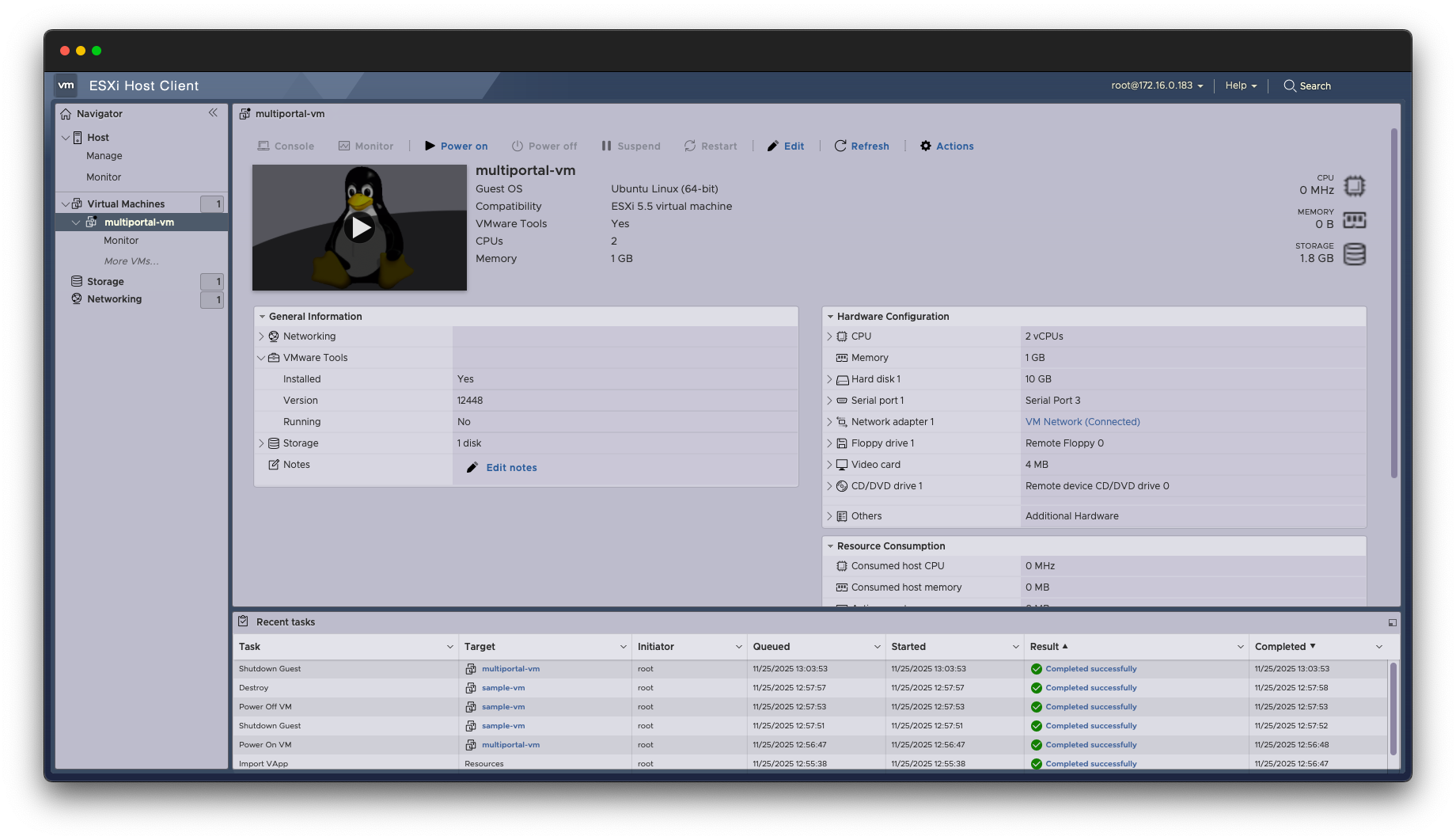
Ensure that you have a virtual machine on your ESXi host that is ready to migrate


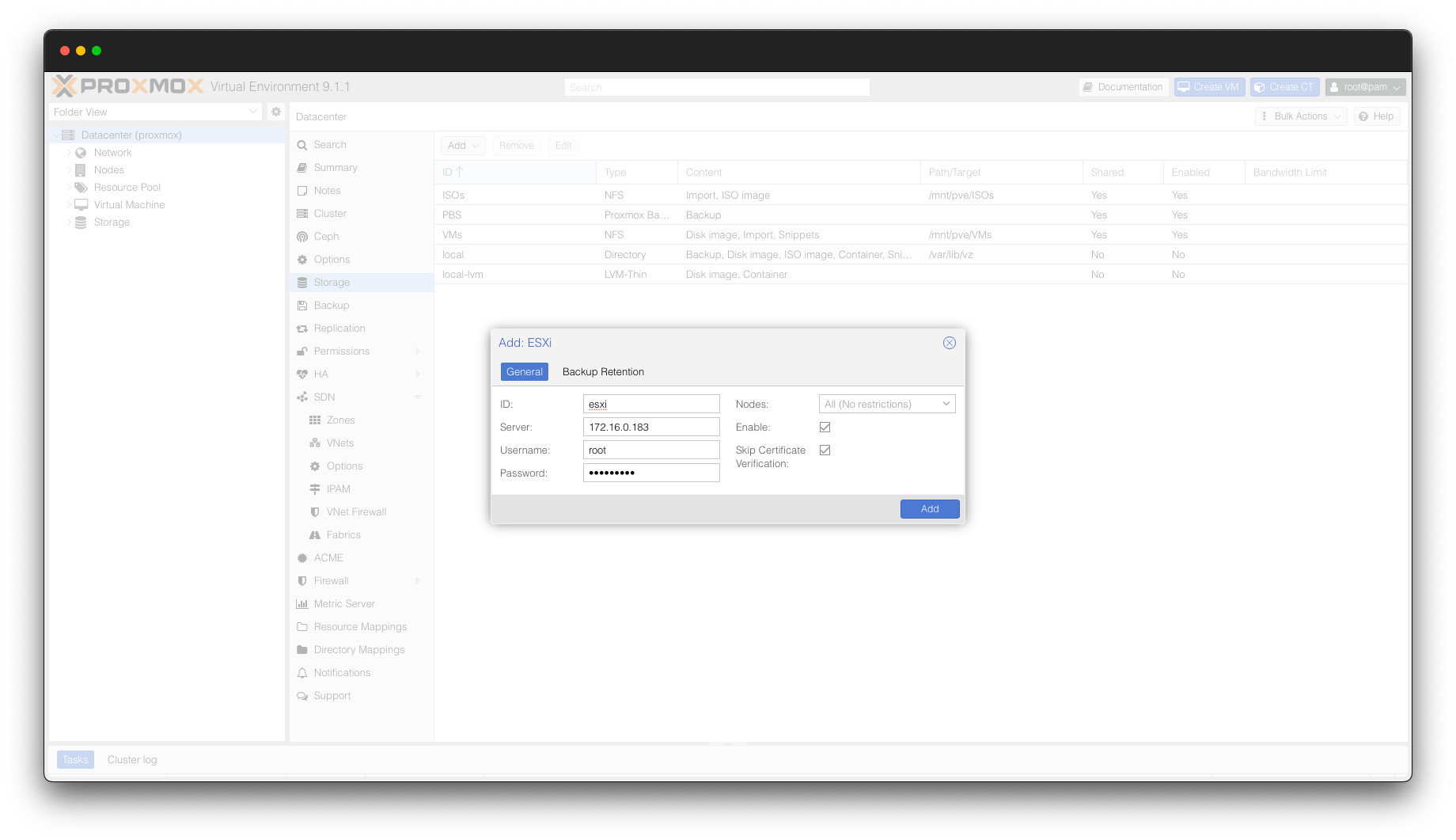
In Proxmox, browse to Datacenter > Storage. Click “Add” and select “ESXi”. Enter an ID of your choice (this is what the “Import” storage device will be called) and your ESXi connection credentials.

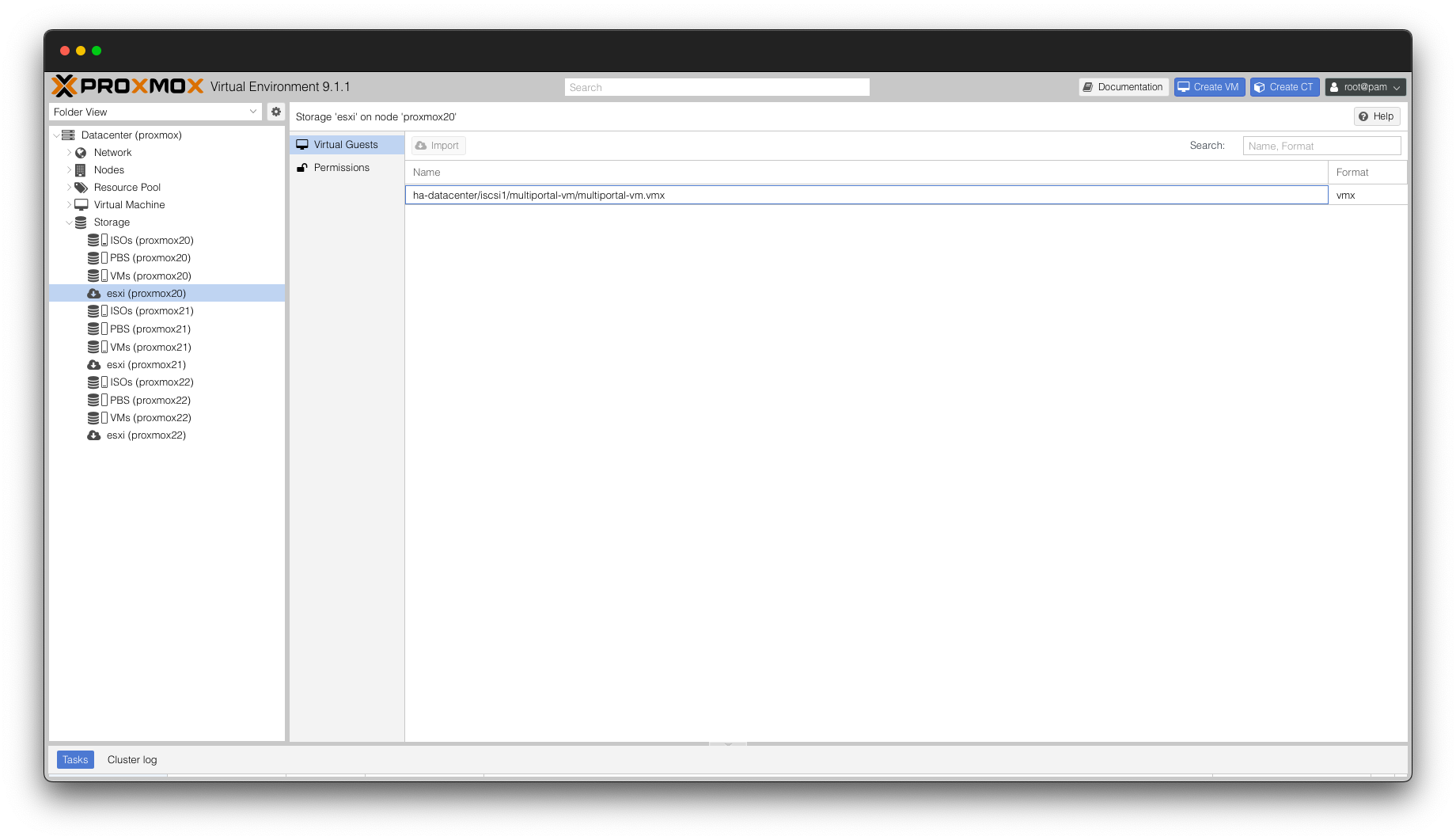
On the Proxmox sidebar, expand “Storage” and you will now see your ESXi storage device. By selecting “Virtual Guests”, you will see a list of all VMs available to import from your ESXi server.

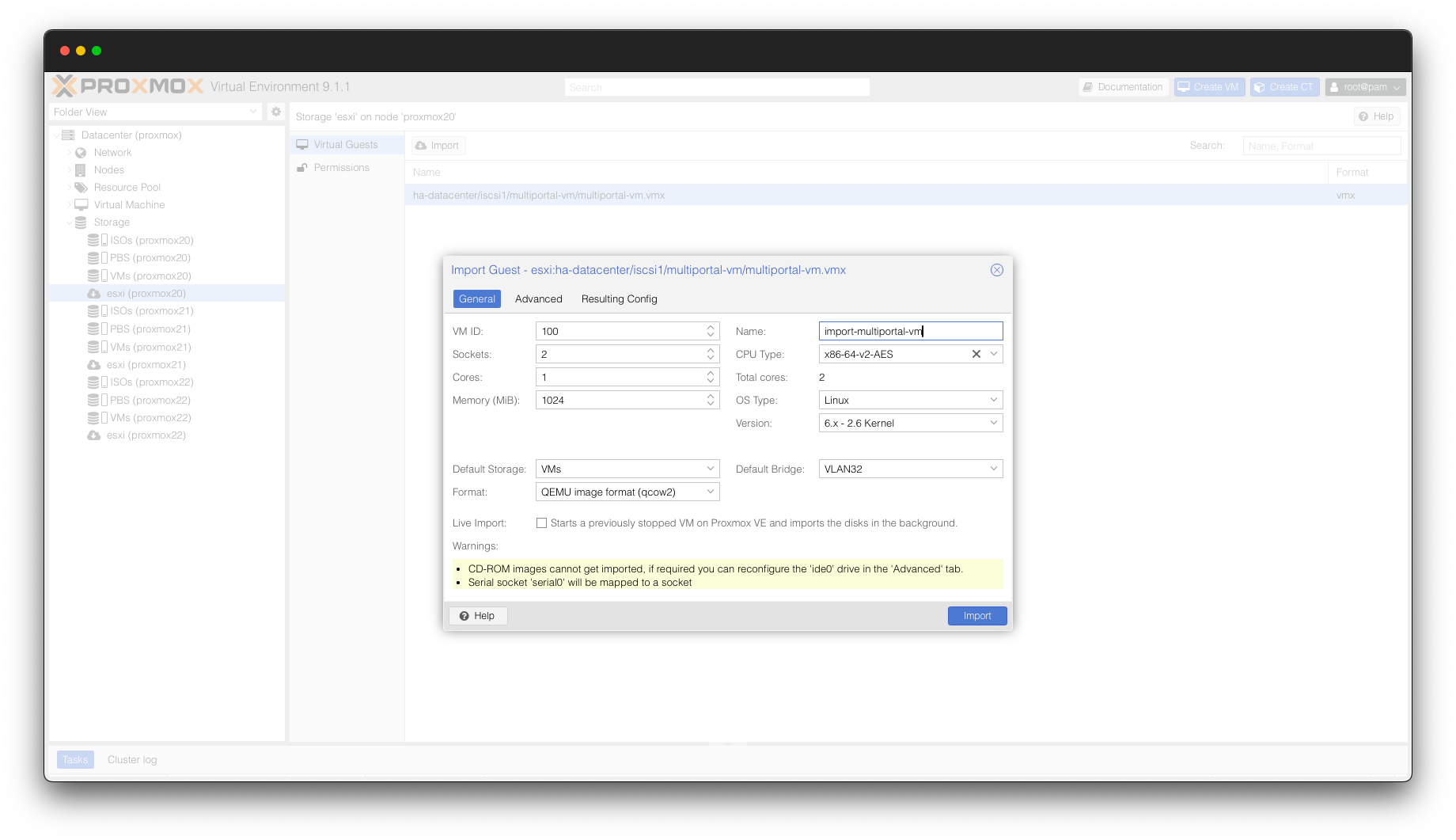
Select your preferred VM and click the “Import” button. You will be presented with a familiar screen within Proxmox where you will be able to customise the resources of the imported VM if you wish. Typically, you can leave this as per the default settings but you are able to customise these settings if you wish.

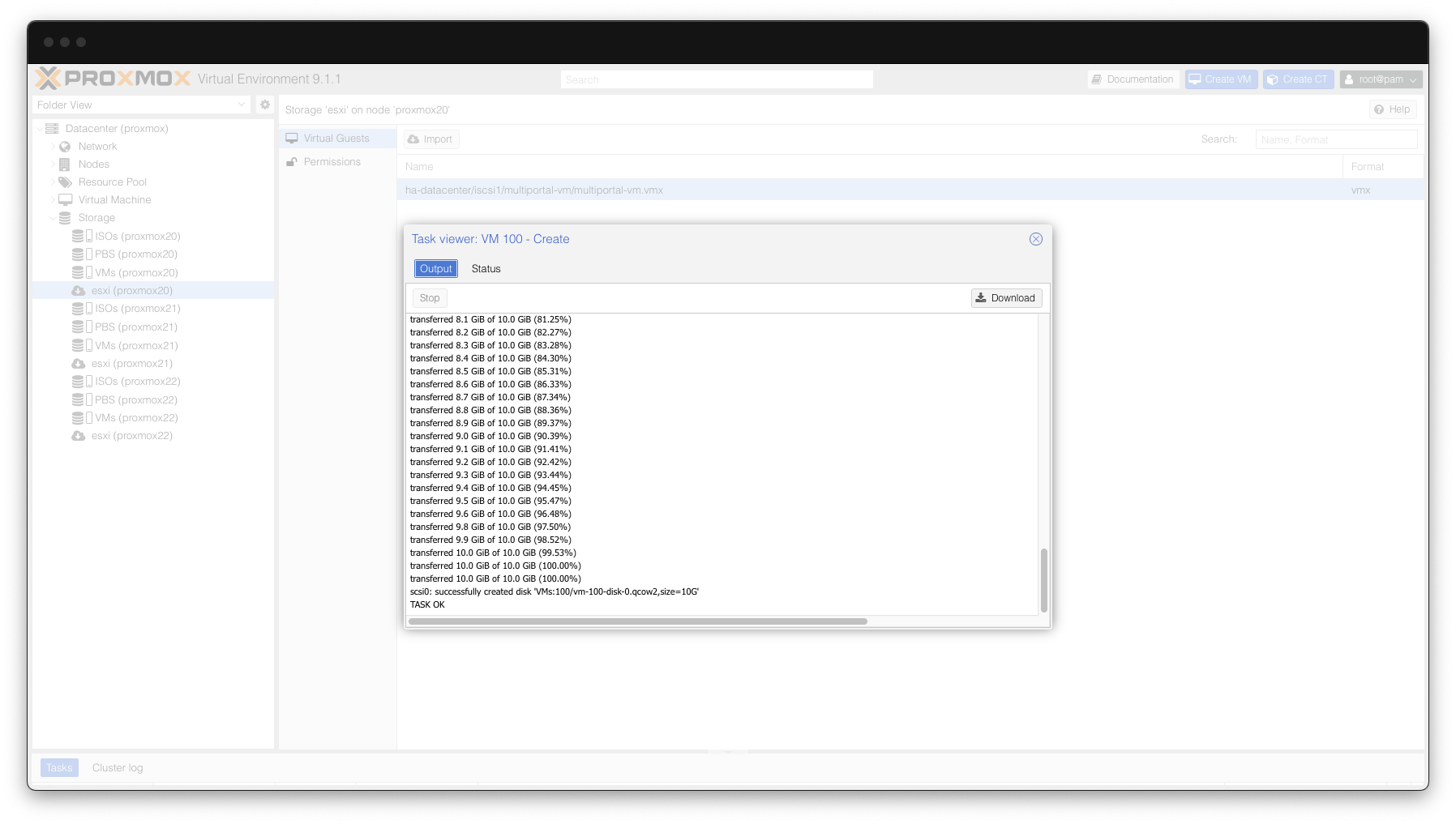
Proxmox will then import the VM from ESXi – this should take a few moments to complete depending on the size of the virtual disks.

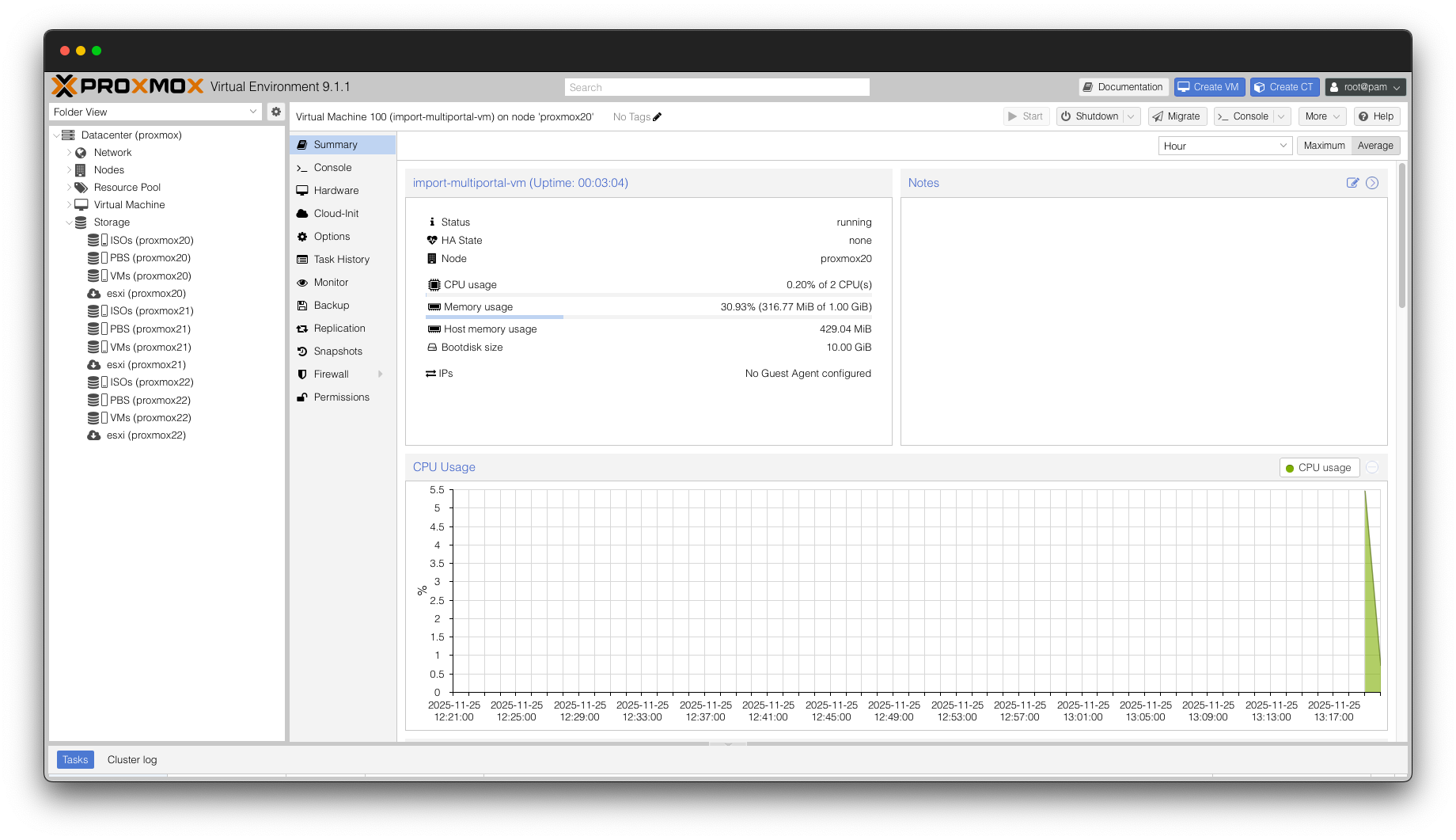
You can then browse to the imported VM in Proxmox and power the VM on. We are now ready to move on to getting this VM into MultiPortal!

NOTE: For further information on importing VMs from VMware into Proxmox, Proxmox has a great guide on their wiki: https://pve.proxmox.com/wiki/Migrate_to_Proxmox_VE

Importing VM into MultiPortal

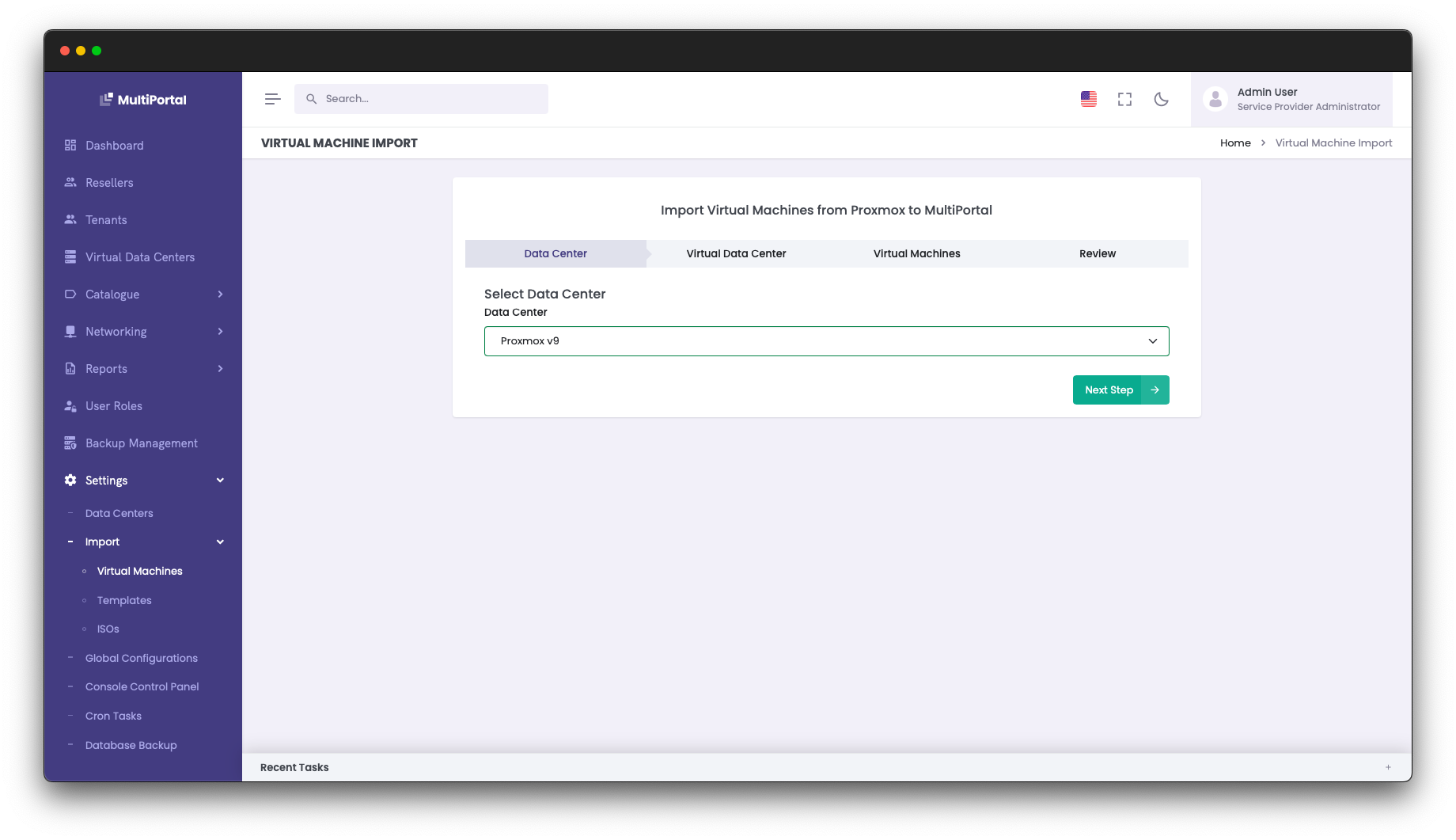
Ensure you are logged into MultiPortal as a Service Provider Administrator. Browse to Settings > Import > Virtual Machines.

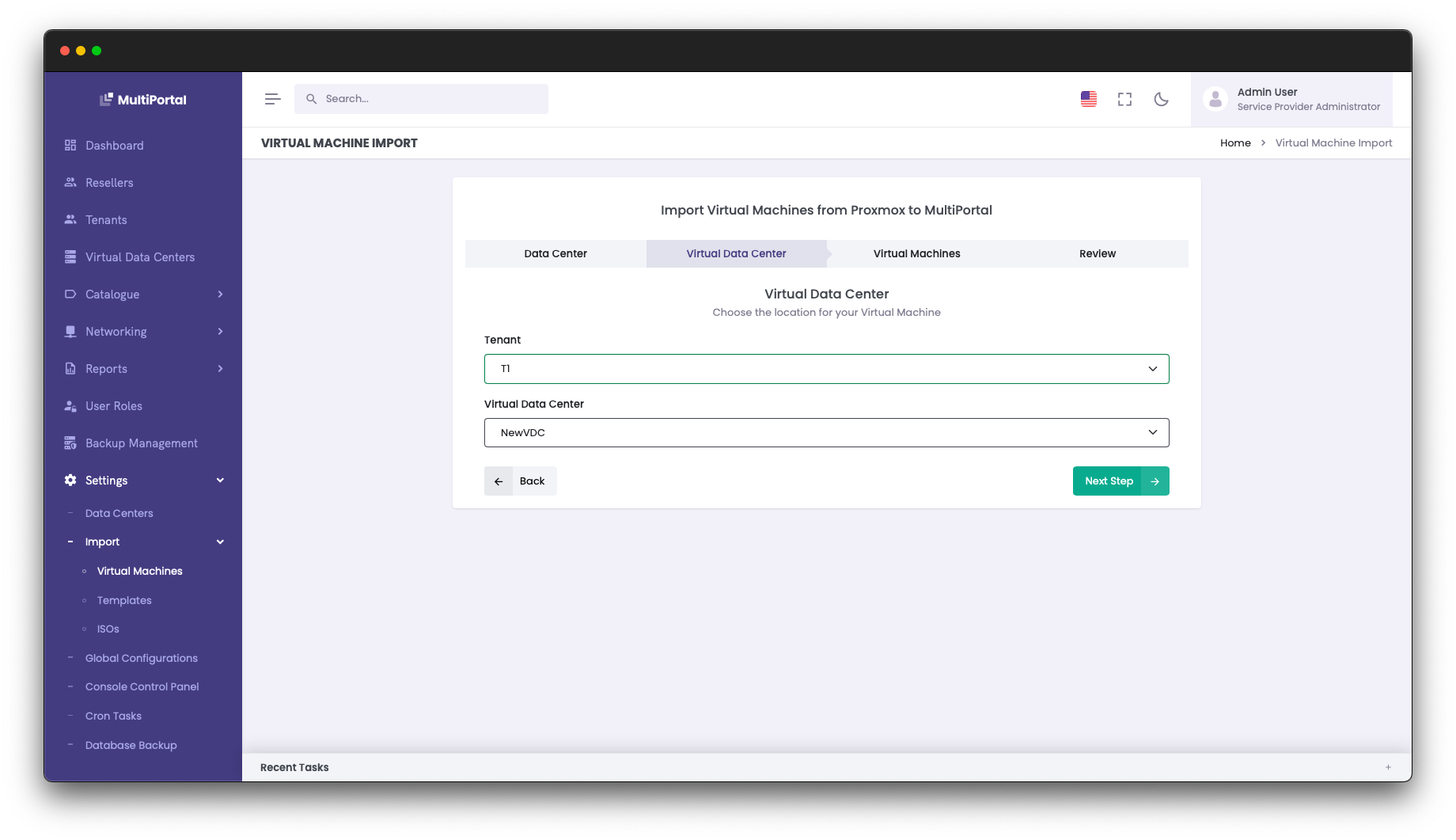
Select your Proxmox Datacenter and click “Next Step”. Then select the Tenant and Virtual Data Center you wish to import the VM into.

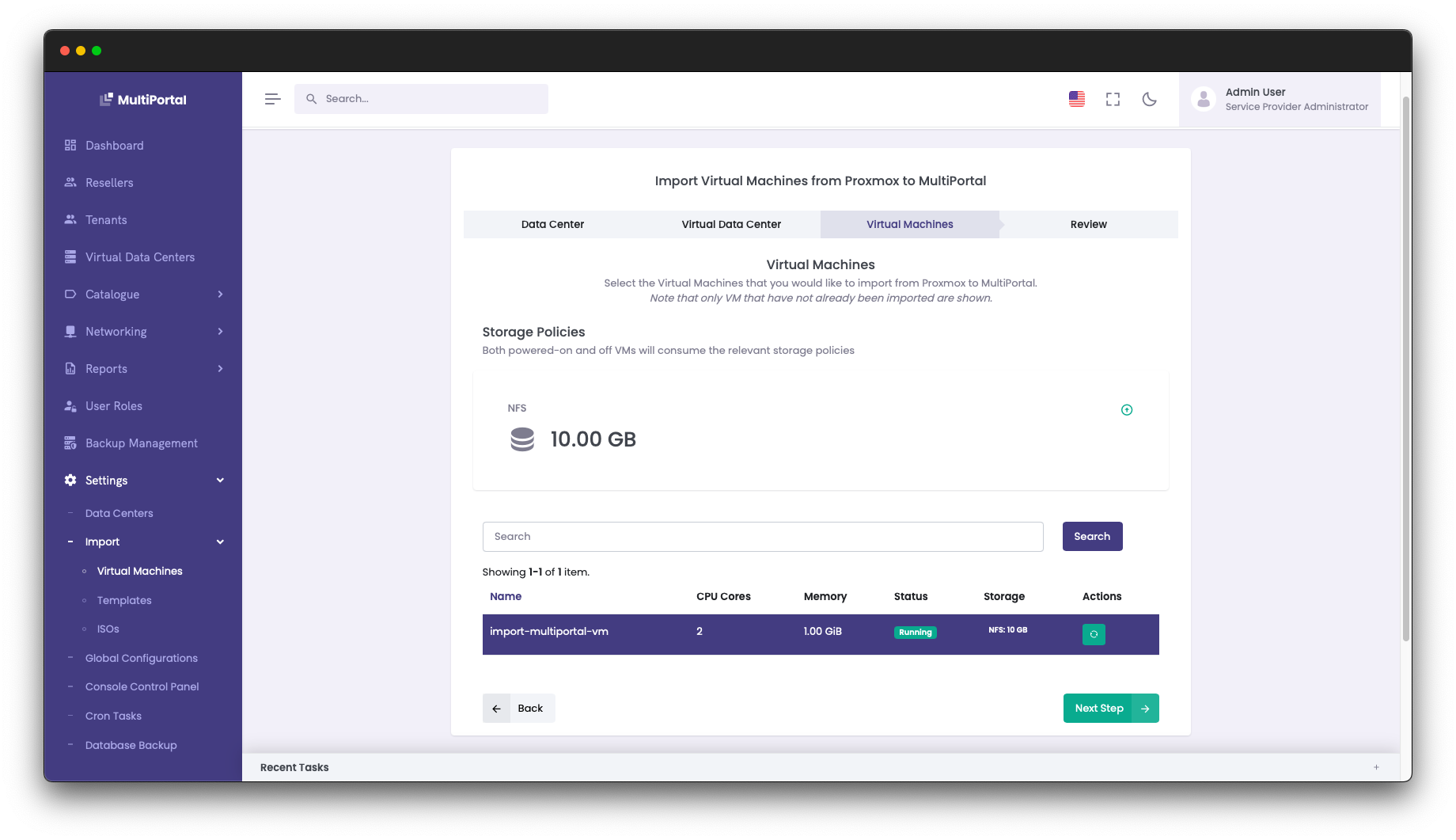
  • Choose your imported VM from the list and click “Next Step”.

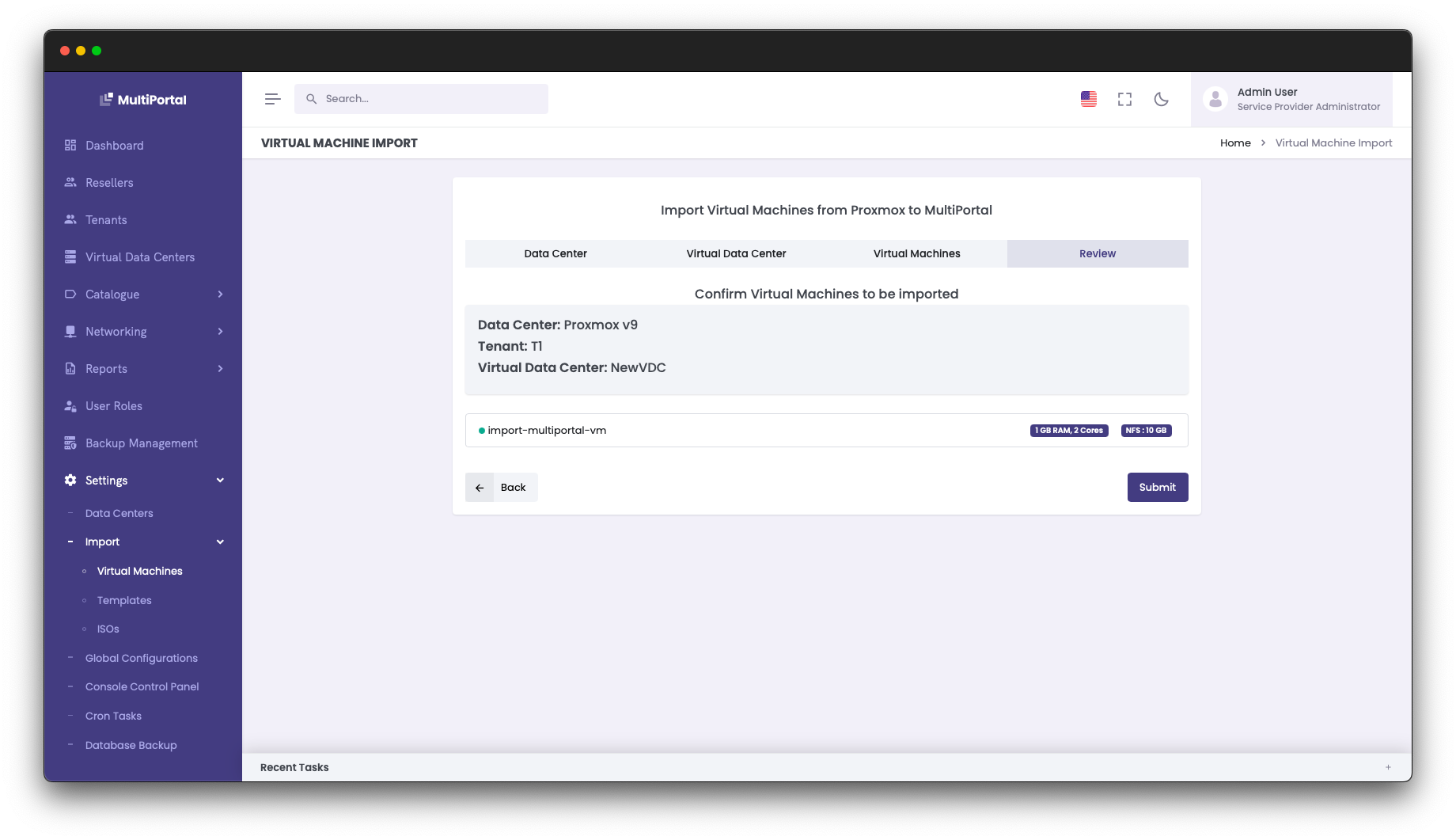
You will see a final confirmation of the imported VM. Click “Submit” to complete the import process.

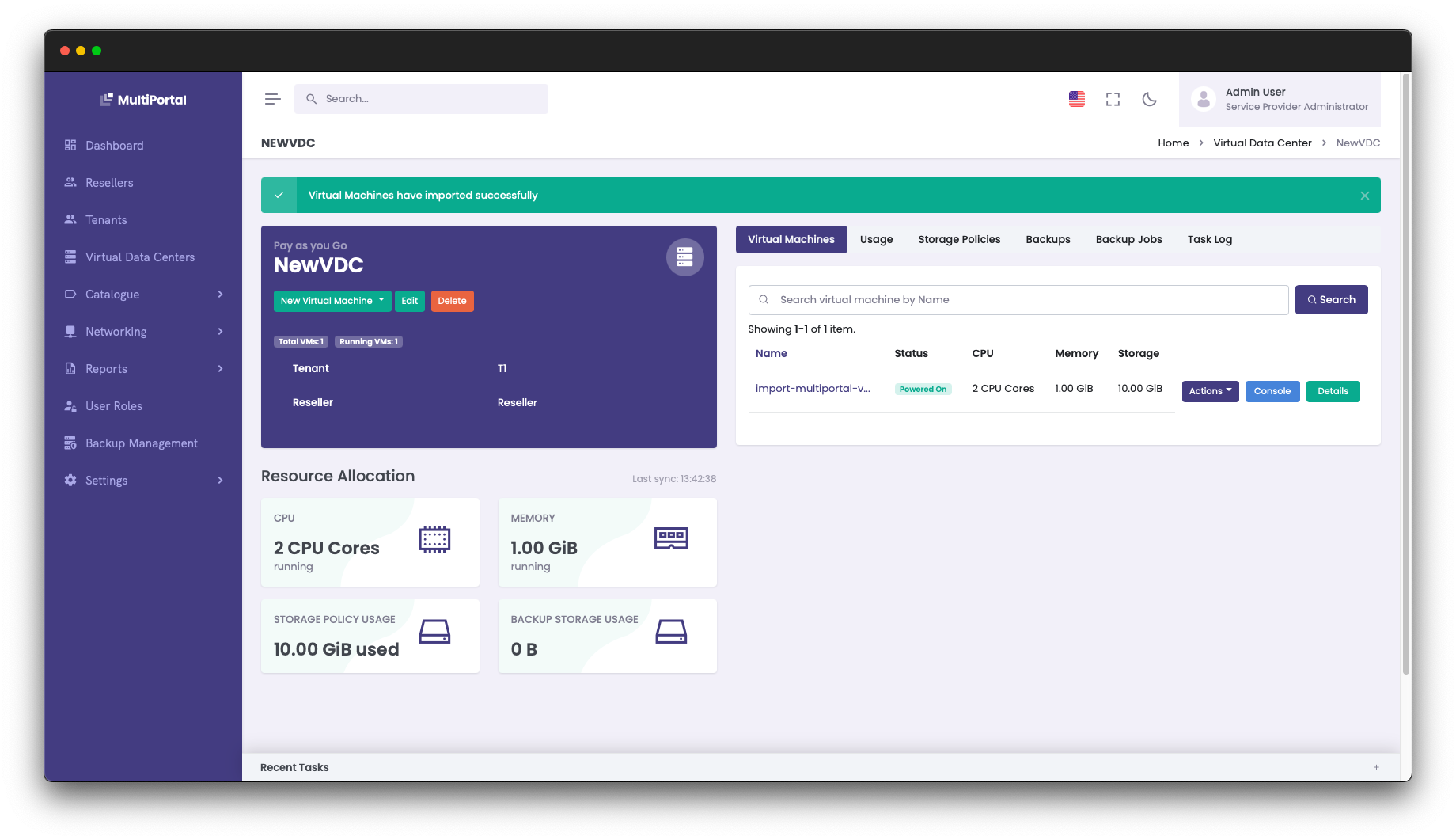
You will then be able to see and manage the imported VM from within MultiPortal.

NOTE: For further information on importing VMs into MultiPortal from Proxmox, we have a detailed step-by-step guide in the MultiPortal documentation.


If you are a Cloud Director user affected by the ripple effects from VMware’s acquisition, we’d love to get in touch and discuss MultiPortal. Please reach out at https://multiportal.io/contact-us

Related Articles

[UPDATE] MultiPortal.io 0.8.0 Release – Enhancing Usability and Expanding VM Management Tools

Version 0.8.0 delivers a series of bug fixes, feedback responses, and task-driven enhancements that improve user experience, visual elements, and virtual machine (VM) management functionalities. This release also includes optimisations to make MultiPortal more intuitive and responsive, particularly in the virtual data center (VDC) operations and resource handling.   New Features & Enhancements   Tenant […]

Published On: November 13, 2024 | Categories:  Updates

Creating a Proxmox Template for use in MultiPortal

When setting up MultiPortal for your tenants, it’s often a good idea to pre-create templates for popular operating systems and applications to speed up provisioning and deployment.    Within a MultiPortal Virtual Data Center, your end users have the ability to build VMs from scratch or deploy from the aforementioned template. In this blog post, […]

Published On: November 19, 2025 | Categories:  Updates

Major MultiPortal Update: New Standard & Premium Plans Launching July 2025

We’re excited to share some important updates from the team at MultiPortal. Over the past few months, we’ve been scaling fast, growing our user base, expanding our platform, and delivering the features our community has been asking for. Now, we’re rolling out our most significant release yet, and we want you to be the first […]
Published On: June 17, 2025 | Categories:  Updates