
MultiPortal 1.2.0 Is Now Live: Storage Tuning, QinQ Networks, and Full White-Label Branding
MultiPortal 1.2.0 is here: tune storage and virtual disk performance, import QinQ networks, brand the portal end to end, restore individual files, and pick up dozens of security, reliability, and usability improvements.
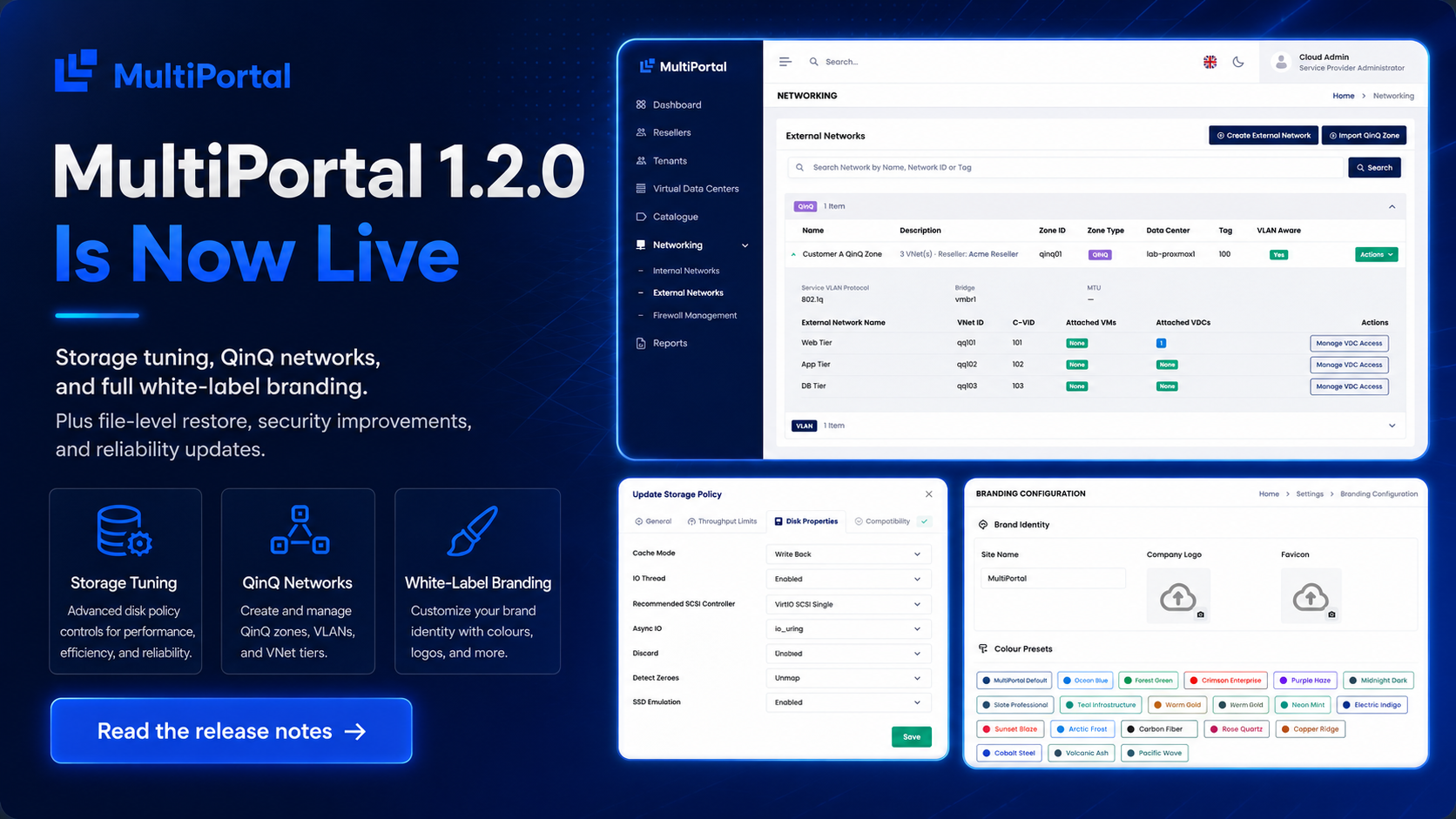
MultiPortal 1.2.0 is now live, and it is one of the biggest releases we have shipped. It brings finer control over storage and virtual disk performance, support for importing QinQ networks straight from Proxmox, full white-label branding across your whole channel, and self-service file-level restore for tenants, on top of a wide band of security, reliability, and usability work.
Here is the short version. Three big features lead the release: per-disk storage tuning, QinQ network import, and white-label branding. Around them sit dozens of smaller improvements, a stack of bug fixes, and a change Community edition users have been asking for. If you are upgrading, take a database backup first; everything else runs as part of the standard upgrade.
What’s new
Storage policy and virtual disk properties
You can now tune the disk-level settings that matter most for performance and compatibility, directly from your storage policies and per virtual disk. That covers disk cache mode, IO threads, AIO mode, discard, SSD emulation, and the recommended SCSI controller. MultiPortal applies these settings consistently when virtual machines and disks are created, and keeps them in place when disks are migrated between different Proxmox storage types.
The platform now tracks the SCSI controller and disk bus for each VM and disk, and validates your choices in the interface before you submit them, so you stop running into avoidable errors after the fact. When a storage policy does not suit a particular disk or controller, you get a clear warning, and you can dismiss the ones you have consciously chosen to accept.
QinQ network import
MultiPortal can now import QinQ (802.1ad) zones and VNets that already exist in your Proxmox SDN, bringing double-tagged, carrier-grade networks under management. A guided wizard discovers your QinQ zones, validates them, and assigns them to a reseller or a tenant, who then just sees a standard external network with none of the QinQ machinery underneath.
We wrote this one up in full, including the three-step import wizard and what it means for each tier. For the complete walkthrough, see QinQ zone import.
White-label branding
Make the portal your own, at every level of your channel. Service providers, resellers, and tenants can each set their own colours, font, logo, favicon, and login page, with every parent deciding how much freedom the level below it gets. Resellers and tenants can also serve the portal from their own custom domain, secured with an SSL certificate they upload or one issued automatically.
Branding cascades down the channel, too: a tenant inherits from its reseller and a reseller from you, and each parent decides whether the level below can override. That is what turns branding from a setting into a real channel.
File-level restore
Tenants can now restore individual files from their backups themselves, using Proxmox’s file-level restore. There is no longer any need to restore a whole machine just to recover a single file.
Proxmox VE 9.2 support
MultiPortal 1.2.0 is tested against Proxmox VE 9.2. We have not built on any of the new 9.2 capabilities yet, but we have run our integration against the 9.2 APIs and confirmed that nothing you rely on today is lost, so you can move your hosts to 9.2 and keep managing them through MultiPortal exactly as before.
Security and access
This release tightens isolation and login handling across the board:
- Stronger tenant data isolation. Resources now stay correctly scoped to the tenant they belong to, closing paths where information could be seen outside its intended scope.
- Template sharing scoped correctly. Sharing a converted VM template now applies only to the intended scope, rather than being exposed more widely within a datacentre.
- More reliable single sign-on. SP-initiated SAML login has been hardened, including correct role assignment for newly provisioned users.
- Service Provider login isolation. Service Provider administration can now be restricted to its own dedicated login URL.
- Single session per user. You can now enforce a single active session per user.
Reliability and performance
- Faster usage synchronisation. Usage sync is now quicker and more reliable on larger environments, so usage data keeps pace with your reporting intervals.
- Leaner reporting. Reports take fewer resources to generate, and pay-as-you-go usage history is now kept after a virtual machine is deleted, so past usage stays available for billing and review.
- Accurate storage usage. Storage now totals correctly on VDC summaries, multiple storage policies are no longer added together by mistake, and total ISO usage is reported accurately. A VDC storage policy can be removed after a disk migration between Proxmox storages, and VDC deletion no longer stalls part-way through.
Also in 1.2.0
- Community edition limits removed. The caps on the number of resellers, tenants, and VDCs are gone from the Community edition. The 4-socket and feature restrictions stay.
- Japanese language support. Japanese joins the list of supported portal languages.
- Interface refinements. A range of interface and dark-mode improvements across the portal.
Upgrading
1.2.0 includes automatic database migrations that run as part of the standard upgrade. Please back up your database before you upgrade. We also recommend reading the documentation for anything new to your environment, particularly the storage disk properties and QinQ import, before you roll them out in production. The full notes are in the 1.2.0 release notes.
Thanks, and what’s next
Thank you to everyone who told us what they needed in this release. A lot of 1.2.0, QinQ import and white-label branding especially, came straight from operators telling us how they run and sell. If you want to see where things are heading next, take a look at our roadmap for 1.2, 1.3 and 1.4.
Running a cloud or hosting platform and new to MultiPortal? Get started or book a live demo, and we will walk you through it.