
Move from VMware to Proxmox with MultiPortal Migrator
Plan your VMware to Proxmox migration around your users with MultiPortal Migrator. Choose a tier per VM, copy data in advance and keep a way back.
A university’s student platform, a customer’s hosted application and a staging server can share one VMware cluster. Each has different requirements and different tolerance for downtime. If their service provider decides to move to Proxmox, when can each one go offline?
Each one needs its own maintenance window. At large enterprises, government organisations and higher education institutions, the answers come from application teams and departments. At CSPs and MSPs, they come from customers who each expect a say in the maintenance window.
Many VCSP agreements expire on 31 March 2027. See our guide for providers who lost VMware partner status.
MultiPortal Migrator assesses your VMware environment, prepares your workloads and manages each migration to Proxmox. You decide when each VM moves.
Know the users behind each VM
Staff who work all day, students who log in at night and customers with their own agreements need different windows.
Talk to the teams or customers behind each service, agree on a maintenance window and pick the migration tier that fits it.
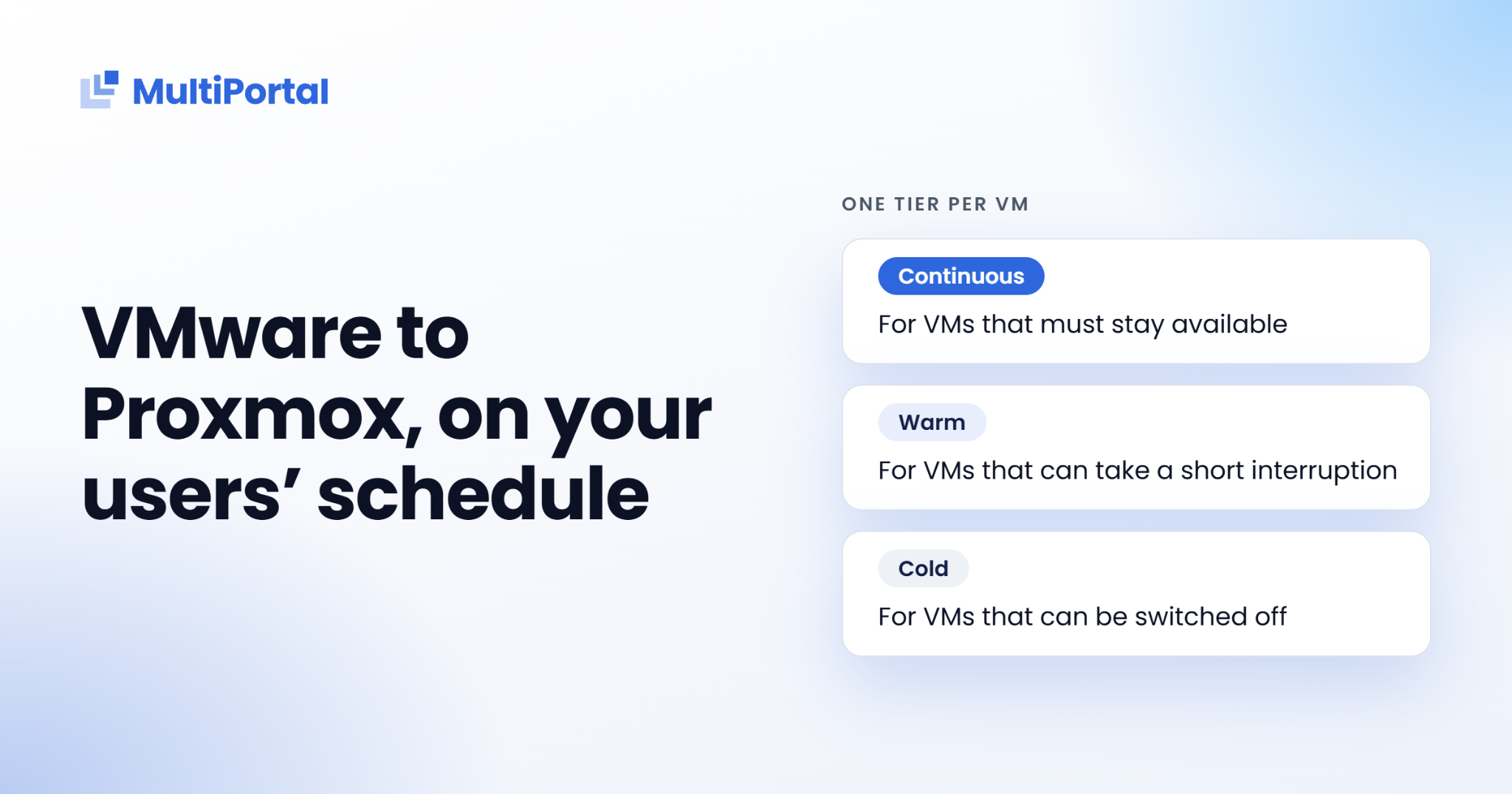
MultiPortal Migrator offers three tiers:
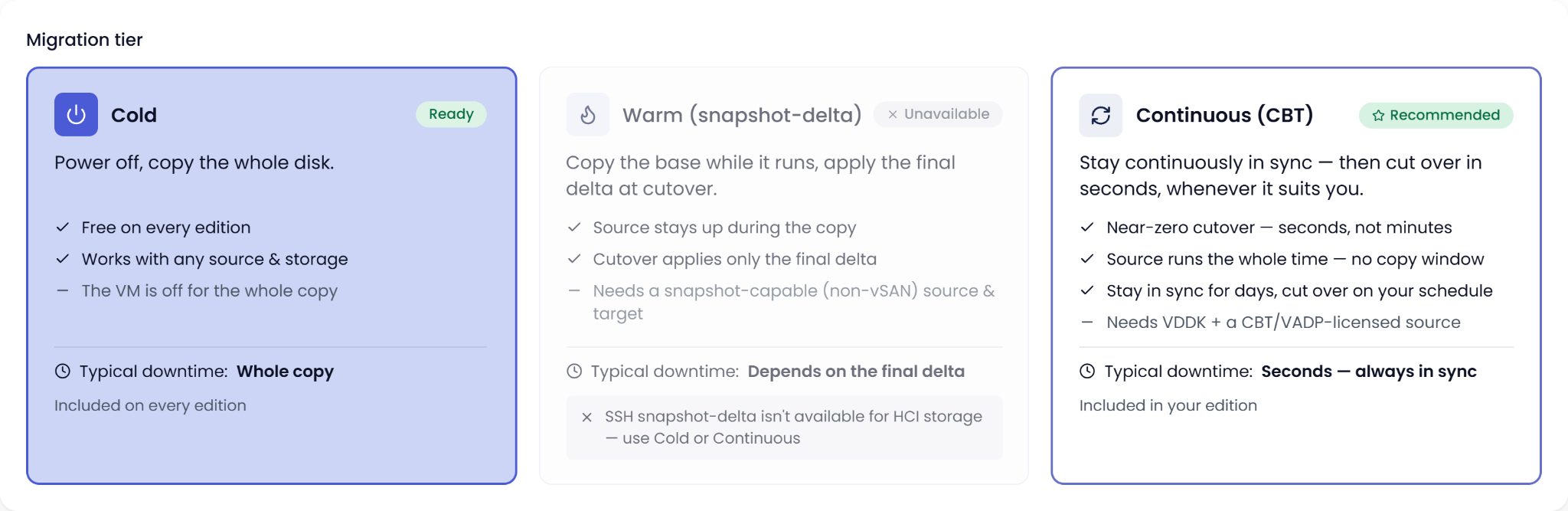
- Continuous: For VMs that must stay available. The VM keeps running while Migrator maintains a synchronised copy on Proxmox, and cutover takes under 5 minutes on snapshot-capable target storage.
- Warm: For VMs that can take a short interruption. Most data copies while the VM runs, and cutover takes about 15 to 30 minutes.
- Cold: For VMs that can be switched off, such as test and staging servers. The VM stays off until all its data has transferred, which can take hours.
You set the tier per VM, so production workloads can use Continuous while test environments use Cold in the same batch.
Days before: copy the data while everyone keeps working
With Continuous migration, you can start copying a VM days before its cutover. The original keeps running on VMware, and the synchronised copy builds on Proxmox. Nothing switches over until you approve it.
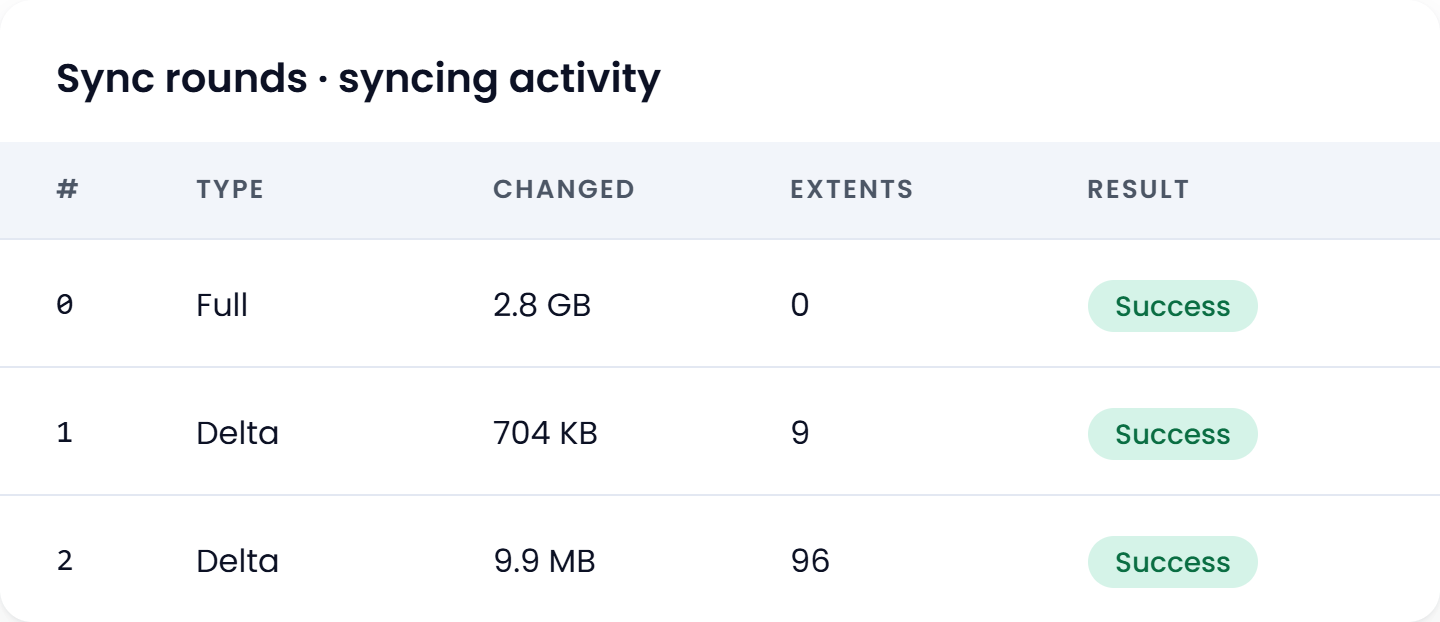
Your team uses those days to prepare the Proxmox side while users carry on as normal. When the maintenance window opens, you approve the move.

If several workloads share a window, you can prepare them all in advance and approve each cutover separately.
Run an assessment first. It shows which tier each VM can use and flags anything to fix while there is still time:
- CBT is disabled: Enable it on the VM to use Continuous migration. Continuous migration needs a vSphere licence that includes CBT and VADP.
- The VM is powered off: Powered-off VMs use Cold migration. Start the VM if you want Continuous.
- The VM is on vSAN: Warm migration is not available for vSAN, so choose Continuous or Cold.
- VDDK is missing: Continuous and all vSAN migrations need it. Broadcom no longer offers VDDK as a public download, so obtain it from Broadcom and upload it to the appliance early.
- The target storage does not support snapshots: Continuous and Warm need snapshot support on Proxmox. Ceph RBD, LVM-thin, ZFS, directory, NFS and SMB/CIFS storage support all three tiers. ZFS over iSCSI is not supported for migration.
Run the assessment, fix what it flags, then agree to the window.
Cutover night: each VM runs as its own job
A large VMware environment can mean dozens or hundreds of VMs. Migrator runs each VM as an individual job and groups jobs into batches. Each job succeeds or fails on its own, so a problem with one VM does not hold up the rest of the batch.
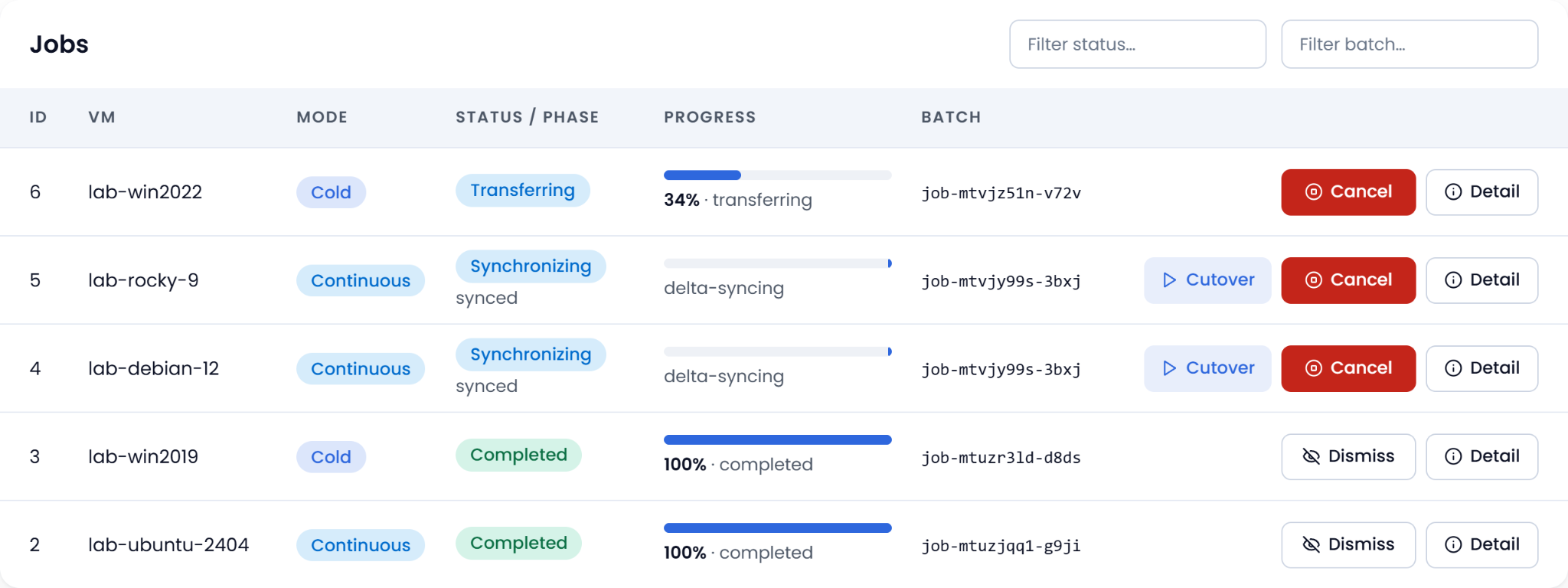
You can run 1 to 32 migrations at once, with 4 as the default. You can raise the limit while jobs are running, and active migrations carry on uninterrupted.
After cutover
Every completed migration produces a record in PDF and spreadsheet formats. Share it with the teams or customers involved and keep it with your change records.
The original VM stays on VMware, switched off. If the migrated service has a problem, start the original VM to roll back.
If a cutover fails after the original VM has shut down, Migrator reverts the change on Proxmox and restarts the original VM. Services come back online while your team investigates.
Find out which tier each VM can use
Run an assessment before you plan your first cutover. MultiPortal Migrator is free for up to 5 VMs.
Make your first Migrator purchase by 31 December 2026 and receive 40% off every Migrator purchase through 31 March 2027. Use code BYEBYEBROADCOM at checkout each time.
Try Now or See How It Works. See the migration tiers documentation for supported storage types and tier requirements.
Next: run your Proxmox cloud from one portal
Once your workloads are on Proxmox, MultiPortal can manage your environment. For CSPs and MSPs hosting Proxmox services, that means self-service provisioning, quotas and whitelabel branding.
Customers manage their own environments in a portal that carries your brand, and your team keeps control of the platform.